> ## Documentation Index
> Fetch the complete documentation index at: https://celonames.mintlify.site/llms.txt
> Use this file to discover all available pages before exploring further.
# Transfer Guide
> How to transfer a Celo Name safely
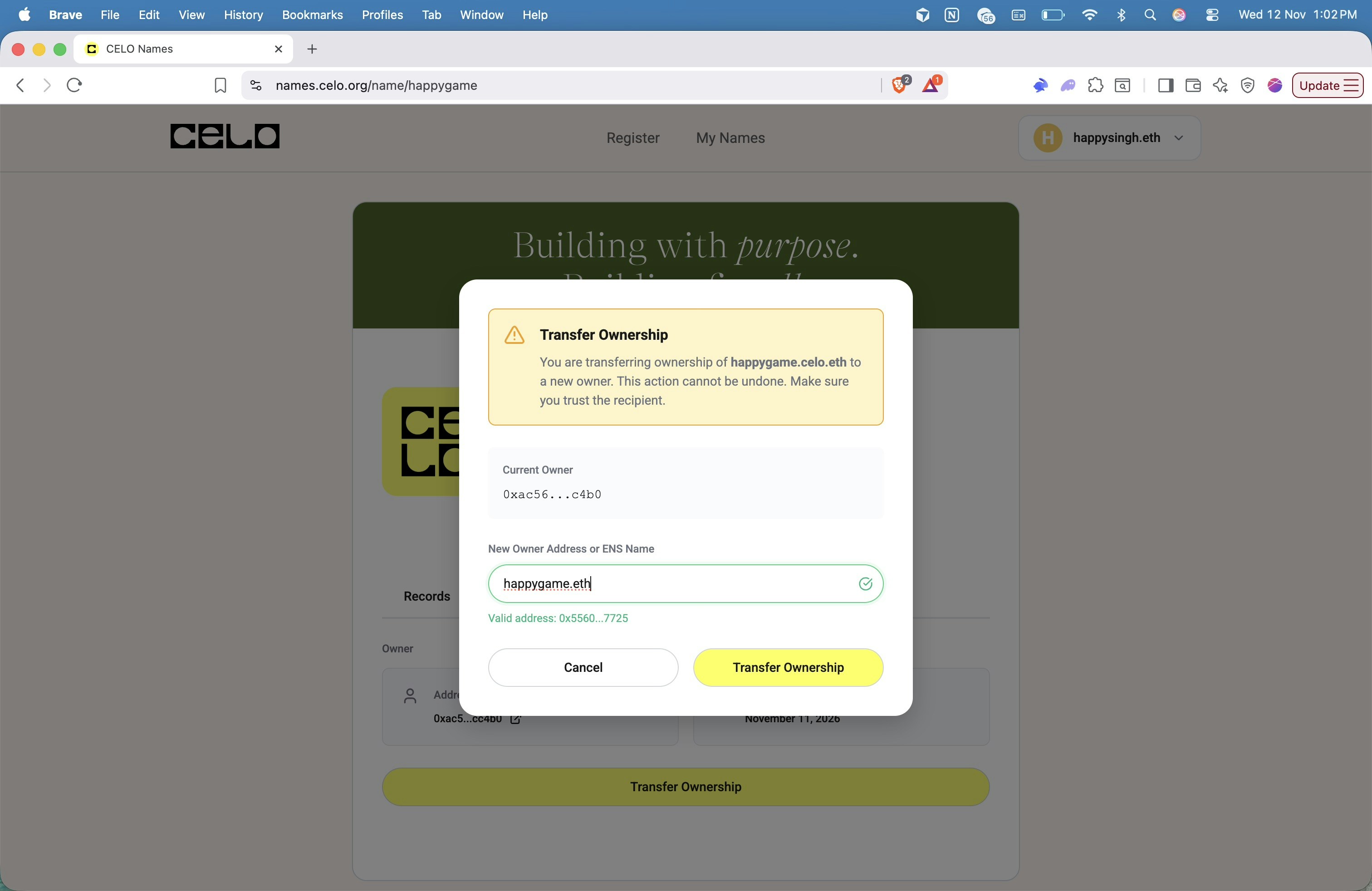
Transferring ownership of a Celo Name will transfer all associated rights to the recipient. Make sure you enter the correct address before confirming the transfer.
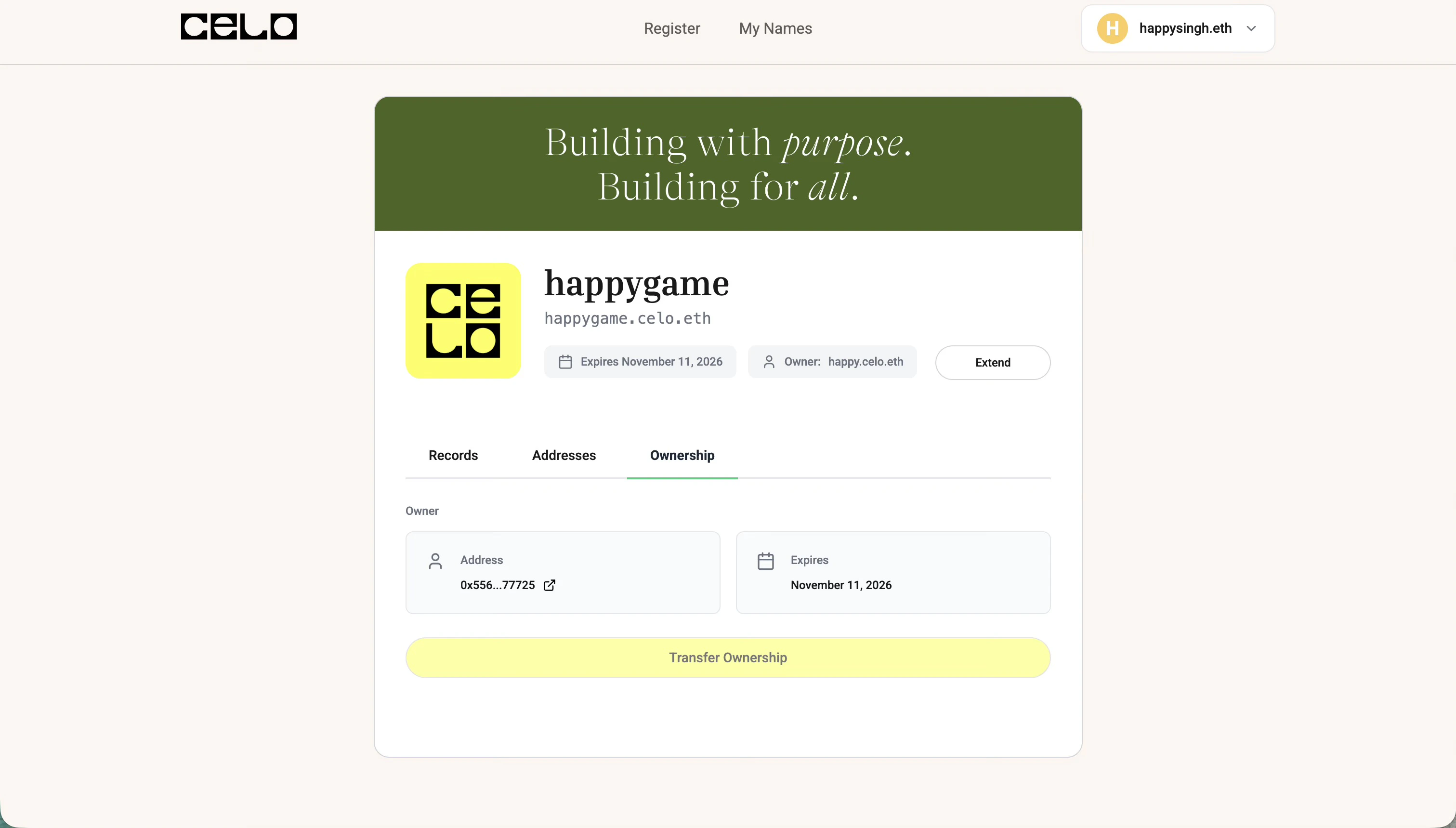
Go to the [Celonames app](https://names.celo.org), connect your wallet, and navigate to the name you want to transfer.
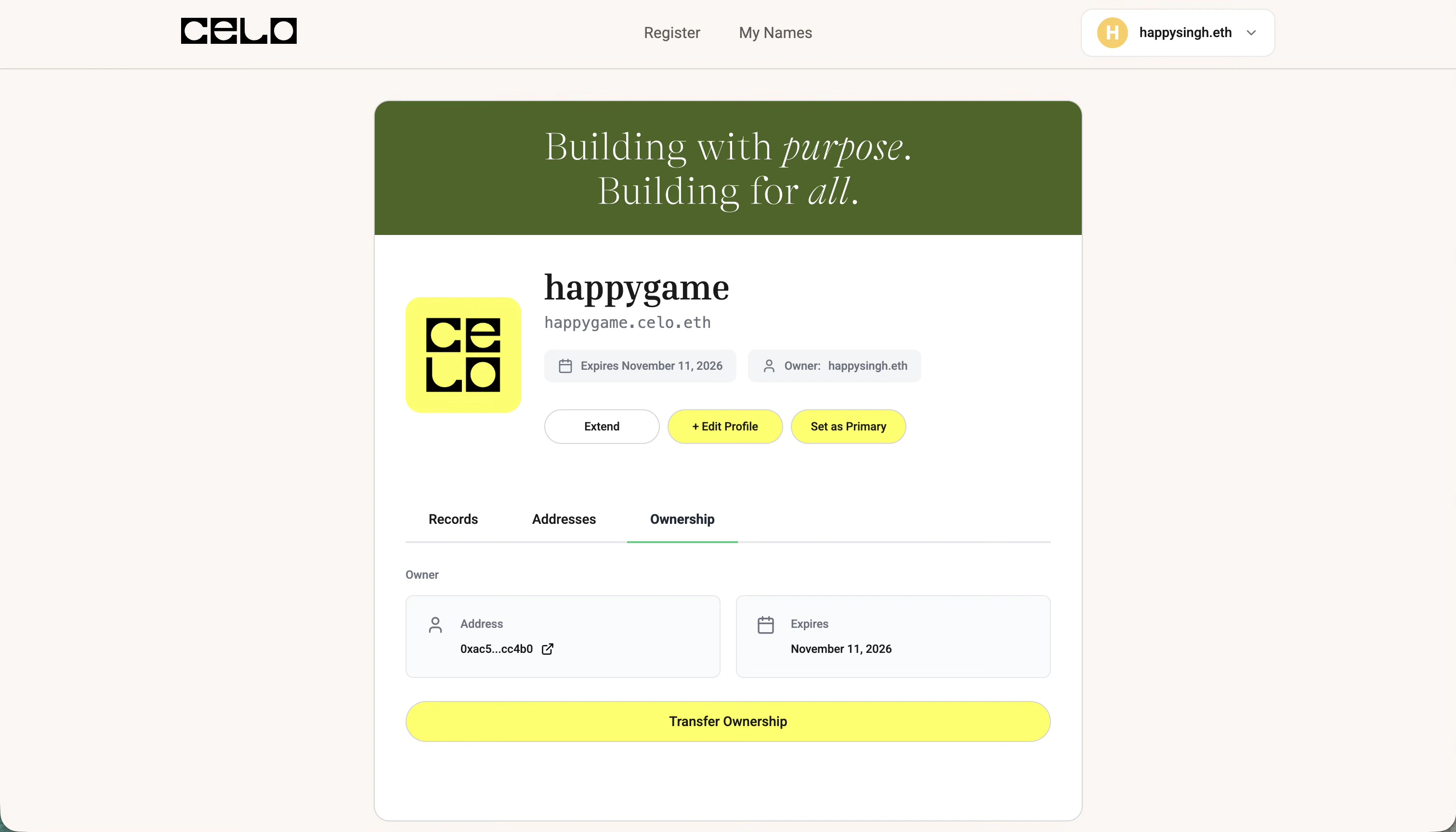
Click on the **Ownership** tab and then click on **Transfer Ownership**.
 Add the recipient's ENS name or Ethereum address in the input field and click **Transfer Ownership**.
 Once the transaction is confirmed, the ownership will be successfully transferred to the recipient!